RockRecorder deletes old recordings by itself every night, so the recordings drive doesn't fill up. You set two limits: how old recordings can get, and how much space they can use in total.
See where you stand
Go to Administration > Storage. It shows:
- Used, Free and Total capacity of the recordings drive, and how much of it is recordings.
- The Retention limits in force, how many recordings are on hold, and the Last cleanup (what it deleted, or Failed / Overdue).
- The Recording location: the folder recordings are saved to.
The page warns when the drive is over 80% full, and again over 90%.
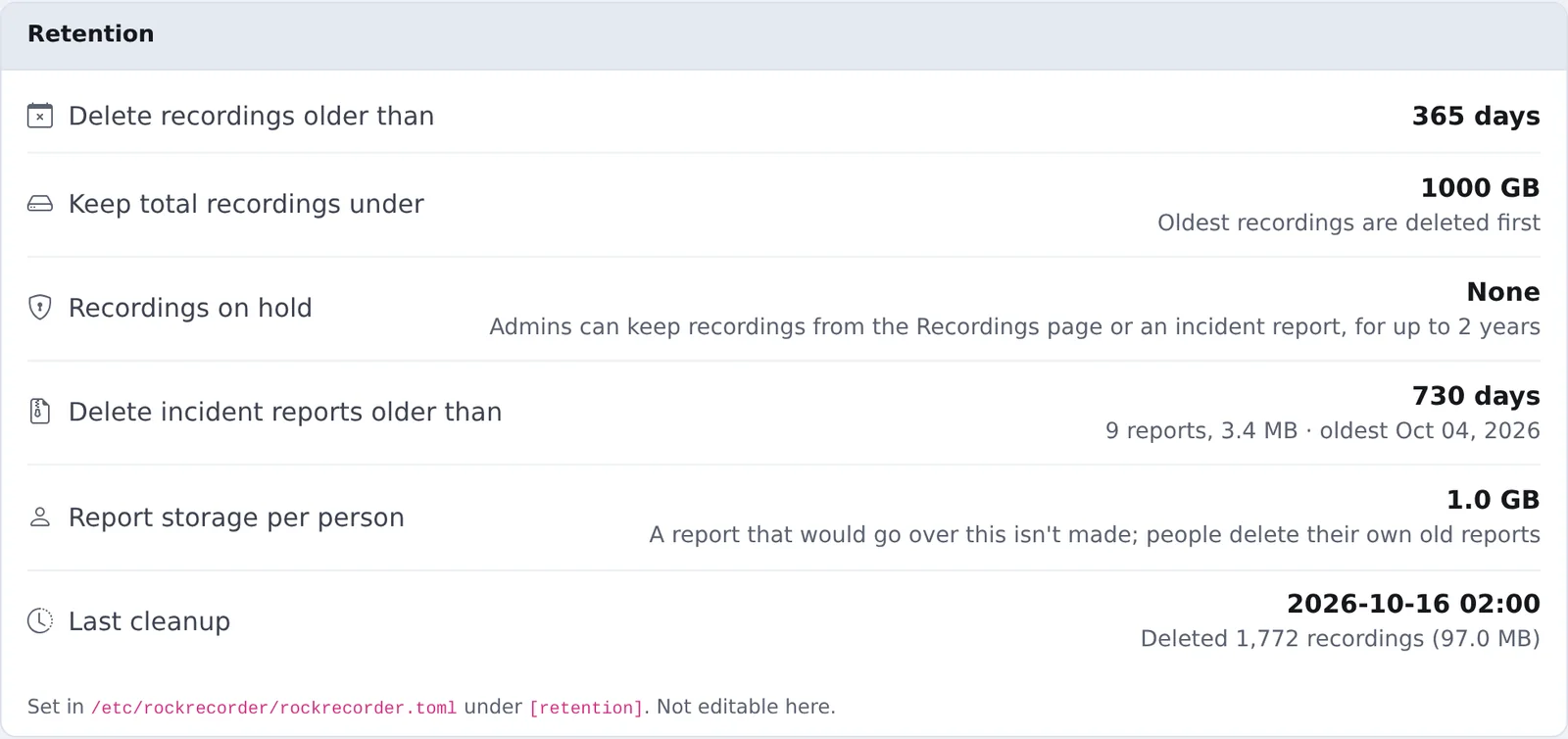
The limits
| Setting | What it does | Default |
|---|---|---|
max_age_days |
Recordings older than this are deleted | 365 days |
max_storage_gb |
If recordings take more than this, the oldest are deleted until they fit | 1000 GB |
max_hold_days |
The longest a recording can be kept on hold | 730 days |
report_max_age_days |
Incident reports older than this are deleted | 730 days |
The limits cover all channels together. Set a limit to 0 to turn it off.
Change a limit
The limits are set on the server, not in the browser. Over SSH:
sudo nano /etc/rockrecorder/rockrecorder.toml
Change the values under [retention], for example:
[retention]
max_age_days = 1095
max_storage_gb = 3000
Save the file. The next nightly cleanup uses the new limits.
Make the size limit a bit smaller than the drive, so there's always free space for new recordings. The storage calculator helps size it.
The nightly cleanup
The cleanup runs every night at 02:00. If the server was off then, it runs when the server starts. It:
- Ends holds that have run out.
- Deletes recordings older than the age limit.
- If recordings still take more than the size limit, deletes the oldest until they fit.
- Deletes incident reports older than their limit.
A recording's file and its database entry are deleted together. Recordings on hold are never deleted.
Keep recordings longer: holds
A hold keeps recordings past the limits, for an investigation or a records request. Admins can place them on channels they can see:
- On the Recordings page: right-click a recording (or a selection) and choose Keep. Pick a Keep until date and add a Reason, such as the case number.
- In an incident report: tick Keep these recordings.
Held recordings show a shield icon with the date and reason. Every hold ends, at most 2 years after it's placed, and saving it again starts that over. To find them all, use Kept only on the Recordings page's Search tab. Placing and releasing holds is written to the audit log.
Get warned before the drive fills
Under Administration > Notifications > System Alerts, turn on Recordings disk filling up (85% by default) and Nightly storage cleanup. RockRecorder then emails you if the drive gets too full or the cleanup doesn't run.